
Copy and paste
I would love to be able to copy and paste between files — or have 2 files open and toggle between them
4 Replies
I created a How To post for this. In short use the Shape Library.
Detailed instructions: https://stitchalot.com/forum/support/f82dacae-694e-40d5-bbcd-cedefad2674f
Agree with this use. Your How to Is Helpful, but it would be faster and easier if you could select something on one design, copy it to a clipboard and paste it into another.
OMG YES!!! Came on here just for that reason to suggest please, a COPY and PASTE function. Also a MIRRIR IMAGE feature, to be able to flip a design.
Good news: you can already make a mirror-image copy. It's perfect for symmetrical designs, where you stitch one side and mirror it to make the other.
Make a mirrored copy
Use the Area Select tool (shortcut S) to drag a box around the part you want to mirror.
Click Duplicate Selection. A copy appears right on top of the original.
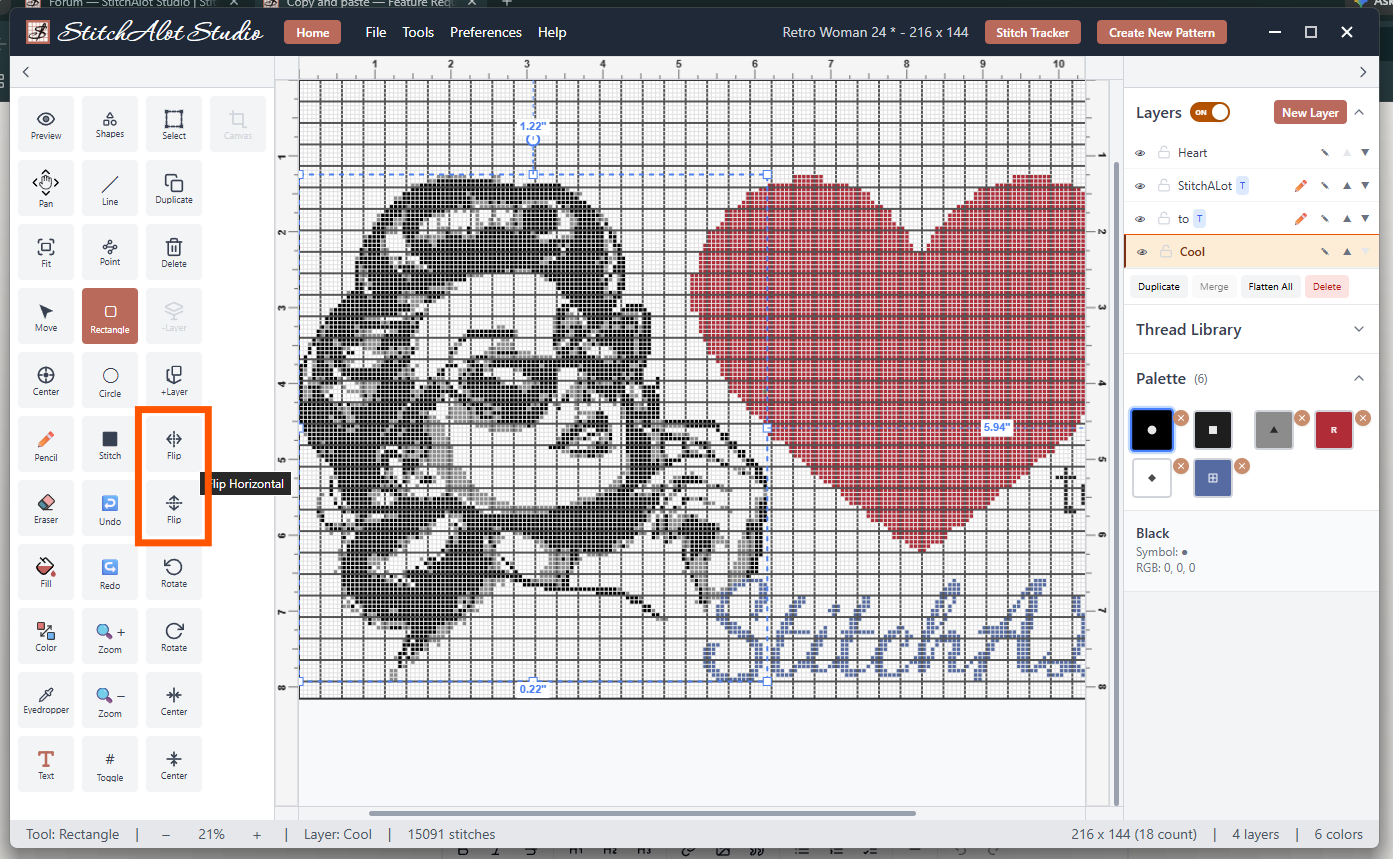
Click Flip Horizontal for a left-right mirror image, or Flip Vertical for an upside-down one. Only the copy flips, and your original stays as it was.
Drag the flipped copy into place, then click away from it to drop it.
If you'd like the mirrored copy on its own layer so you can adjust it separately, use Duplicate to New Layer in step 2 instead.
You can also flip without making a copy. Just select the area and click Flip.
If you don't see these buttons, go to Preferences > Toolbar Visibility and make sure they're switched on.
What we don't have yet is classic Copy and Paste with Ctrl+C / Ctrl+V (Cmd+C / Cmd+V on Mac), including pasting from one design into another but it is a high priority for feature updates.
Sign in to reply