
Professional Needlepoint Pattern Design Software for Mac, PC & iPad
Powerful Features
Everything you need to design beautiful needlepoint and cross stitch patterns
Intuitive Design Tools
Draw, fill, and edit stitches with precision. Choose from a comprehensive stitch toolset.
Layer Management
Design at your comfort level. Organize designs with layer elements for complex patterns or flatten.
PDF Export
Export high-quality PDFs with full stitch charts, thread lists, and instructions.
Fast & Responsive
Smooth performance even with large canvases.
Cross-Platform
Available for Windows, Mac, iPad, and Android. One license works on 2 devices.
iPad Optimized
Full touch support with Apple Pencil compatibility for natural drawing.
Full Tool Suite
Modern toolset you would expect.
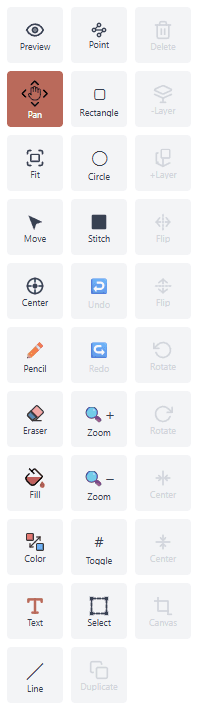
- Pencil – Draw individual stitches with pixel-level precision
- Eraser – Quickly remove stitches from your canvas
- Fill – Flood-fill areas with your selected color
- Swap Colors – Instantly replace one color with another across your design
- Text – Full font selection for titles, monograms, and labels
- Line – Draw straight lines at any angle
- Point to Point Lines – Click to place connected line segments
- Rectangle – Draw outlined or filled rectangles
- Circle – With perfect circle indicator for precise shapes
- Stitch – Multiple stitch type indicators for specialty stitches
- Undo – Step back through your edit history
- Redo – Restore previously undone changes
- Zoom – In and out easily for detail work or full-canvas views
- Select – Area selection for moving and transforming
- Duplicate – Make a copy of your selection
- Delete – Removes selection from canvas
- Layer Move – Move to a new layer, remove from current
- Duplicate Layer – Make a copy to a new layer
- Flip – Horizontally or vertically
- Rotate – Controlled or free rotate
- Center Horizontally – Align selection to the horizontal center
- Center Vertically – Align selection to the vertical center
- Canvas Crop – Resizes canvas to only the selected area
Image Conversion or Overlay
Convert any photo to a needlepoint pattern automatically, or use it as a tracing guide.
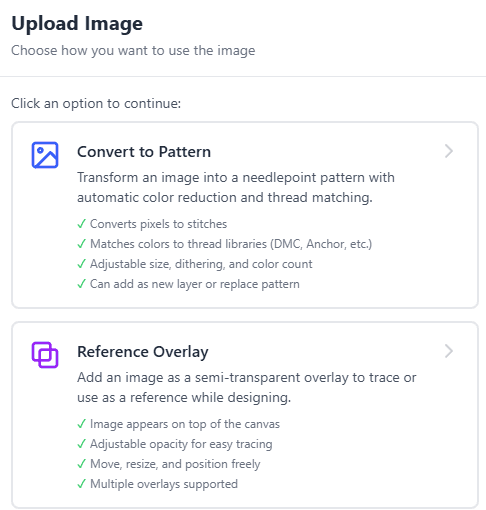
- Image Import – Upload any JPG, PNG, or BMP image directly into your project
- Auto Conversion – Automatically convert any photo into a stitch-ready needlepoint pattern
- Color Reduction – Reduce image colors to match your preferred thread palette
- Thread Matching – Map image colors to real thread brands like DMC and Anchor
- Overlay Mode – Place an image behind your canvas as a tracing guide
- Opacity Control – Adjust overlay transparency to see your stitches clearly
- Resize & Fit – Scale imported images to match your canvas dimensions
- Lock Overlay – Pin the overlay in place so it won't shift while you work
Color Matching
DMC and Anchor thread color matching — build your perfect palette from thousands of real thread colors.
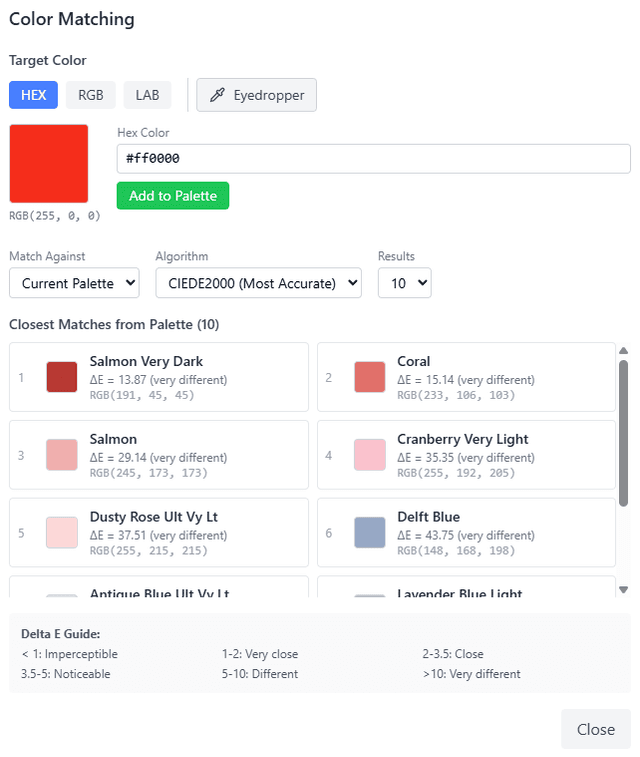
- Thread Palette – Browse and select from thousands of real thread colors
- Brand Support – Match colors to DMC, Anchor, and other popular thread brands
- Color Picker – Sample any color from your canvas or imported image
- Nearest Match – Automatically find the closest thread color to any selected hue
- Custom Colors – Create and save your own custom color swatches
- Color Replace – Swap one thread color for another across your entire design
- Palette Summary – View a full list of all colors used with thread counts and codes
- Export Thread List – Include a detailed shopping list in your PDF export
Custom Shapes
Create, reuse and share custom stitch shapes from any canvas.
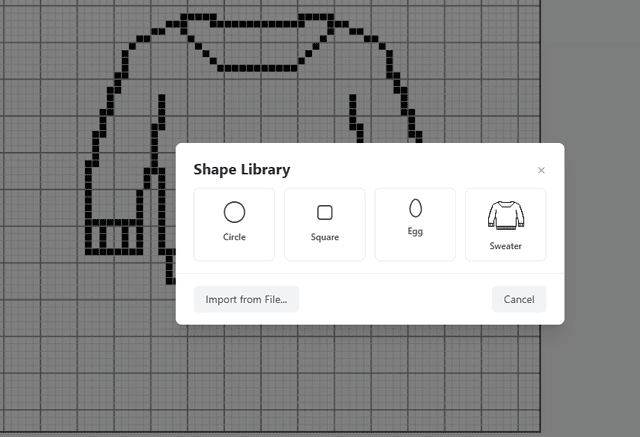
- Shape Library – Save your creations for quick access across projects
- Resize & Scale – Adjust shapes to fit any canvas size
- Stamp Tool – Place saved shapes onto your canvas with a single click
- Mirror & Repeat – Flip and tile shapes to build borders and patterns
- Share & Import – Share shape files with others or import shared designs
Stitch Tracker
Track your stitching progress and never lose your place.
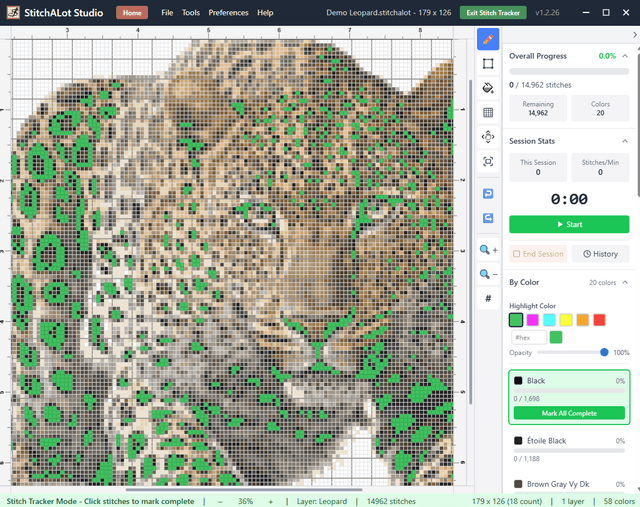
- Progress Tracking – Multiple ways to mark areas as complete
- Stitch Counter – Automatic stitch count by color and area
- Completion Percentage – See how far along your project is at a glance
- Highlight Color Area – Easily see which stitch colors remain
- Stitch Timer – Track how fast you stitch
- Session Log – Keep a record of your stitching sessions and time spent
Fonts, Fonts and More Fonts
Access to local, stitch and thousands of Google Fonts at your fingertips.
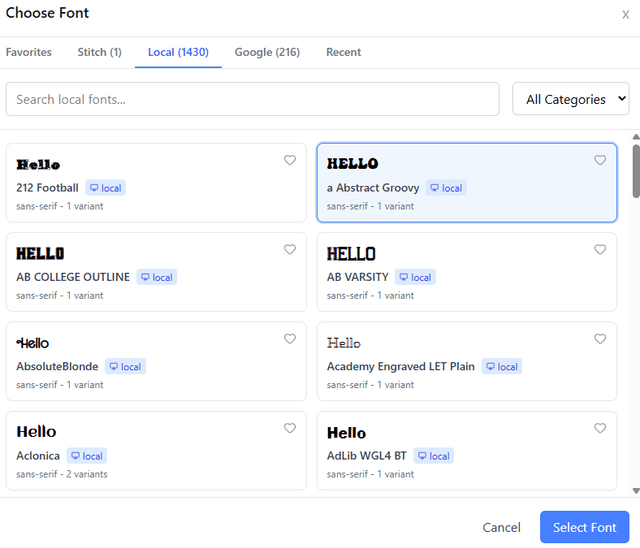
- Built-In System Fonts – Hundreds of ready-to-convert fonts
- Stitch Fonts – Create your own with included needlepoint font creator or receive and load a file from a friend
- Google Fonts – Access thousands of additional fonts from the Google Fonts library
- Favorite – Tag your most-used fonts for quick access
- Recent – Lists the most recently used fonts
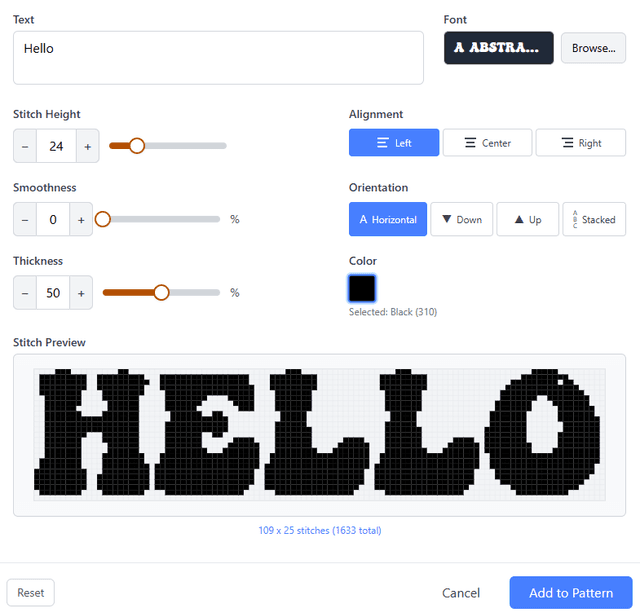
Once you have chosen the font to start with
- Live Preview – See exactly how your text will look on the canvas before placing
- Stitch Height – Scale fonts to any stitch height for perfect fit
- Smoothness & Thickness – Adjust fonts for best appearance
- Alignment & Orientation – Perfect for personalizing layout
Needlepoint Font Creator
Design and share custom stitch-perfect fonts for any size of stitching
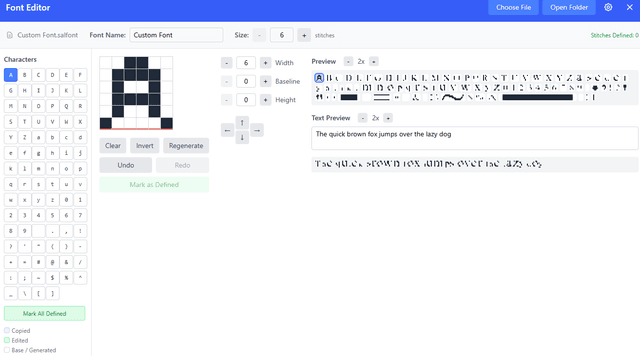
- Custom Font Editor – Design each character stitch by stitch on a grid
- Size Control – Adjust font height and width to fit your design for stitch perfect sizing
- Character Preview – See a live preview of each character as you edit
- Spacing & Kerning – Fine-tune letter spacing for a polished look
- Save, Share & Reuse – Save custom fonts to your library and share file for use across projects
- Full Character Set – Support for letters, numbers, and special characters
Preview and Export
See exactly how your design will look and export print-ready files.
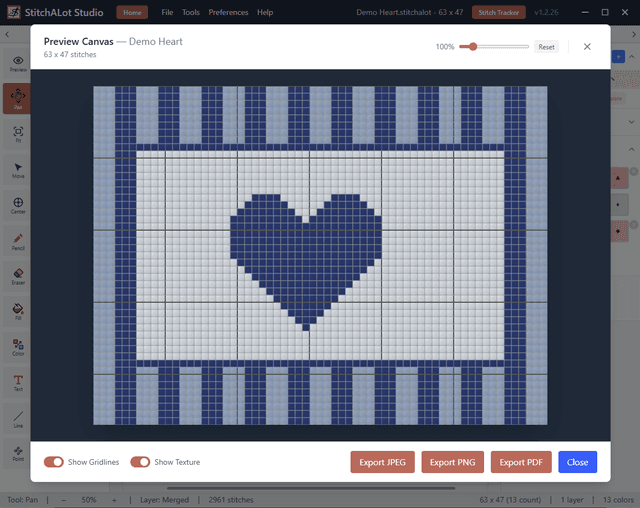
- Live Preview – See a realistic rendering of your finished design
- PDF Export – Generate high-quality PDFs with stitch charts and thread lists
- Image Export – Save your design as PNG or JPG for sharing
- Print Layout – Customize page size, margins, and chart scaling
- Thread Summary – Includes a complete color list with thread codes and counts
- Symbol Charts – Export black-and-white symbol charts for easy stitching
- Custom Footer – Personalize the footer message on every exported page
Pay once, own forever
What's Included:
- Perpetual license (buy once, own forever)
- All v1.x updates included
- Up to 2 device activations
- Windows, Mac, iPad, and Android support
- Export to PDF (no watermark)
- Email support
Frequently Asked Questions
What platforms are supported?
StitchAlot Studio runs on Windows 10+, Mac (macOS 12+), iPadOS 15+, and Android. Base license works on 2 devices simultaneously.
How does the free trial work?
Download and use all features free for 7 days. No credit card required. When you're ready to purchase, your projects carry over seamlessly.
What's included with updates?
Full suite of software and all v1.x updates.
Can I transfer my license to a new device?
Yes! You can deactivate a device from within the app and activate on a new one. You can have as many devices active as you have licenses.
Ready to Start Designing?
Join thousands of needlepoint and cross stitch enthusiasts creating beautiful patterns with StitchAlot Studio.
Buy Now - $34.99 (Regular $49.99)