
Set sizes for shapes
I would like to be able to set a size for shapes, either in pixels or in/cm.
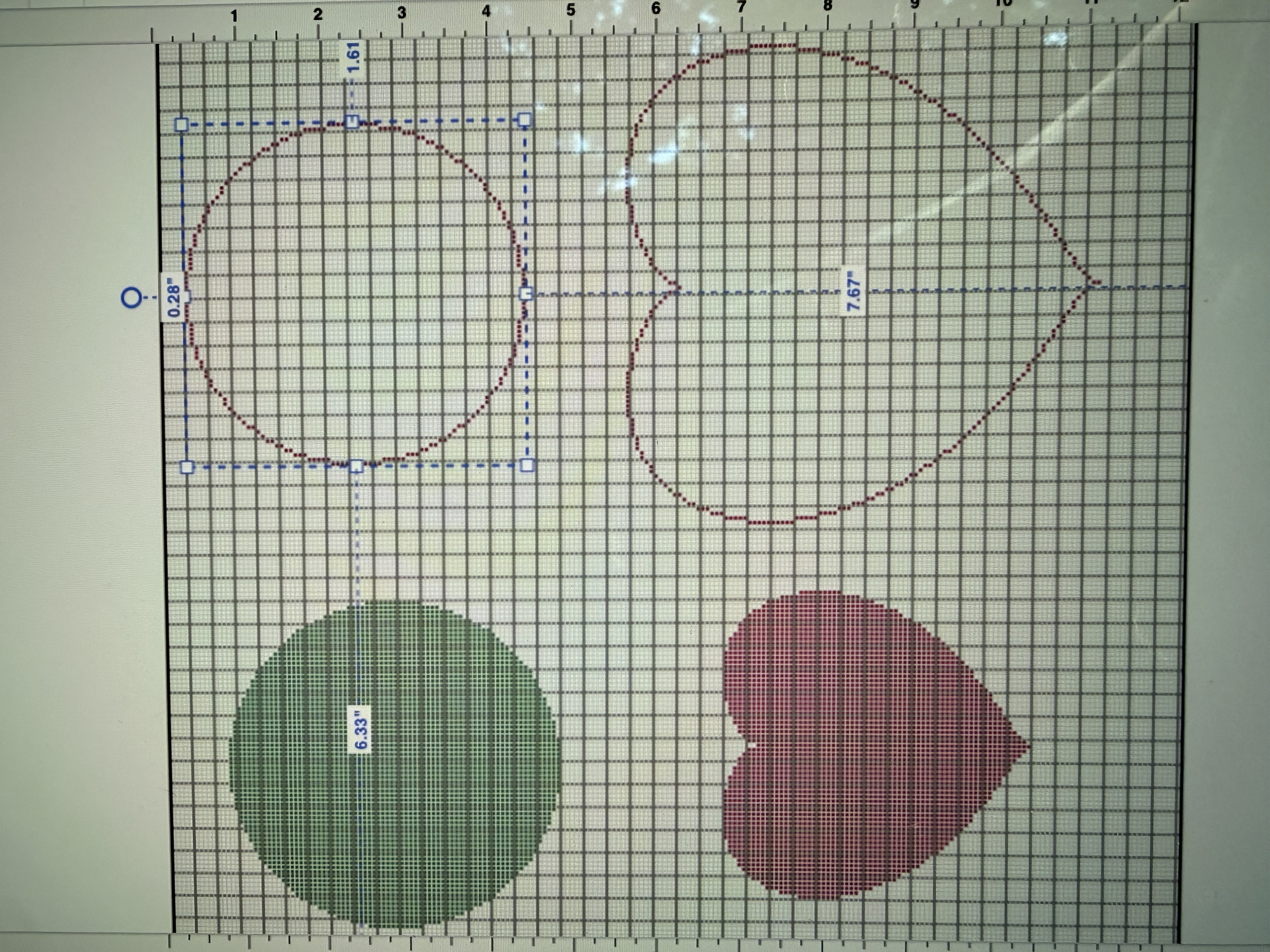
For example, I want to create a 4" circle. Currently, I have to make a 4" square canvas design and then draw a circle to the edges, which is quite fiddly.
Instead, I want to create a canvas shape and then set a circle in it, and click to re-size to 4".
.. or have the option to make round canvas designs from the beginning, without needing to draw an outline.
1 Reply
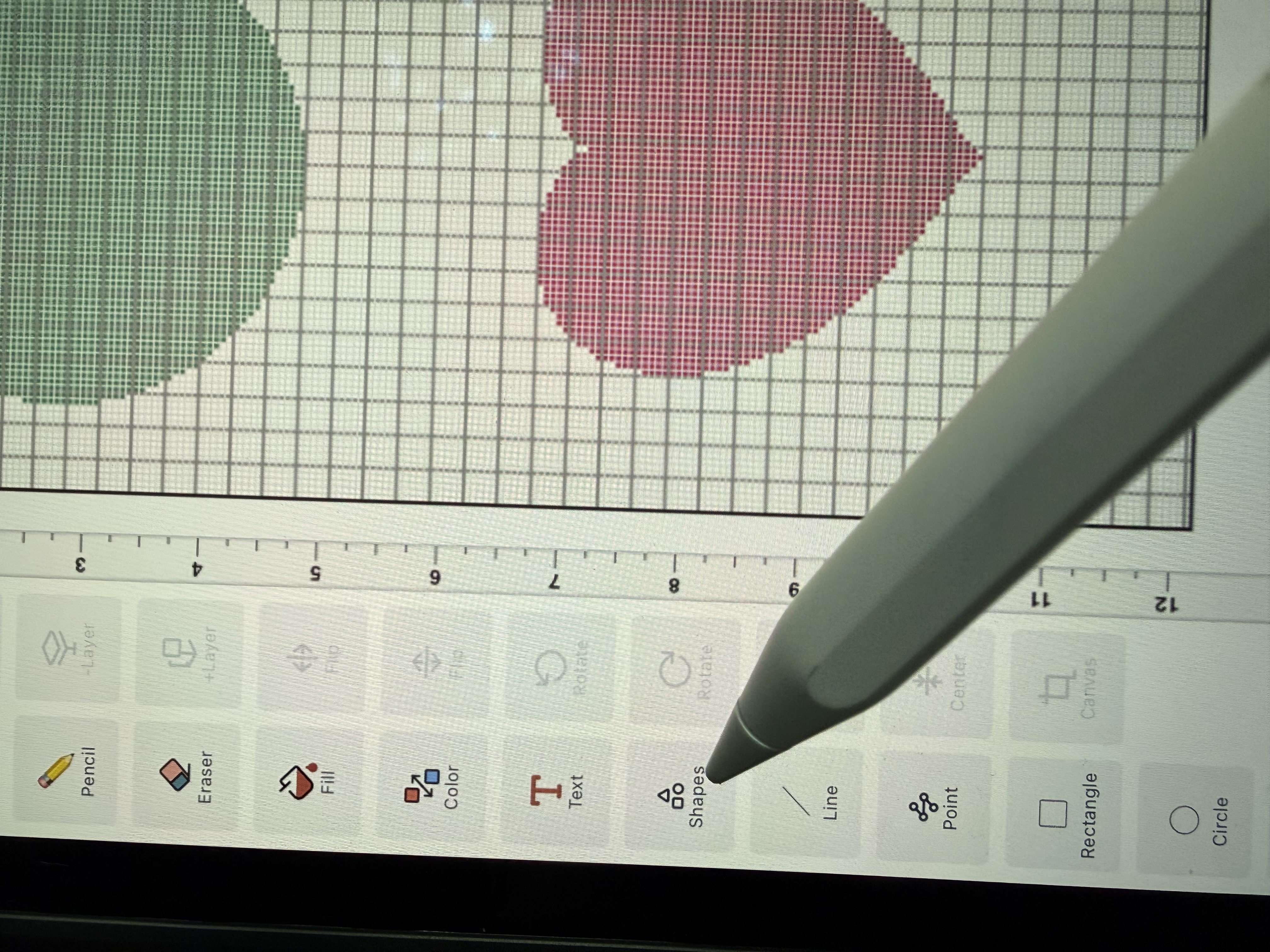
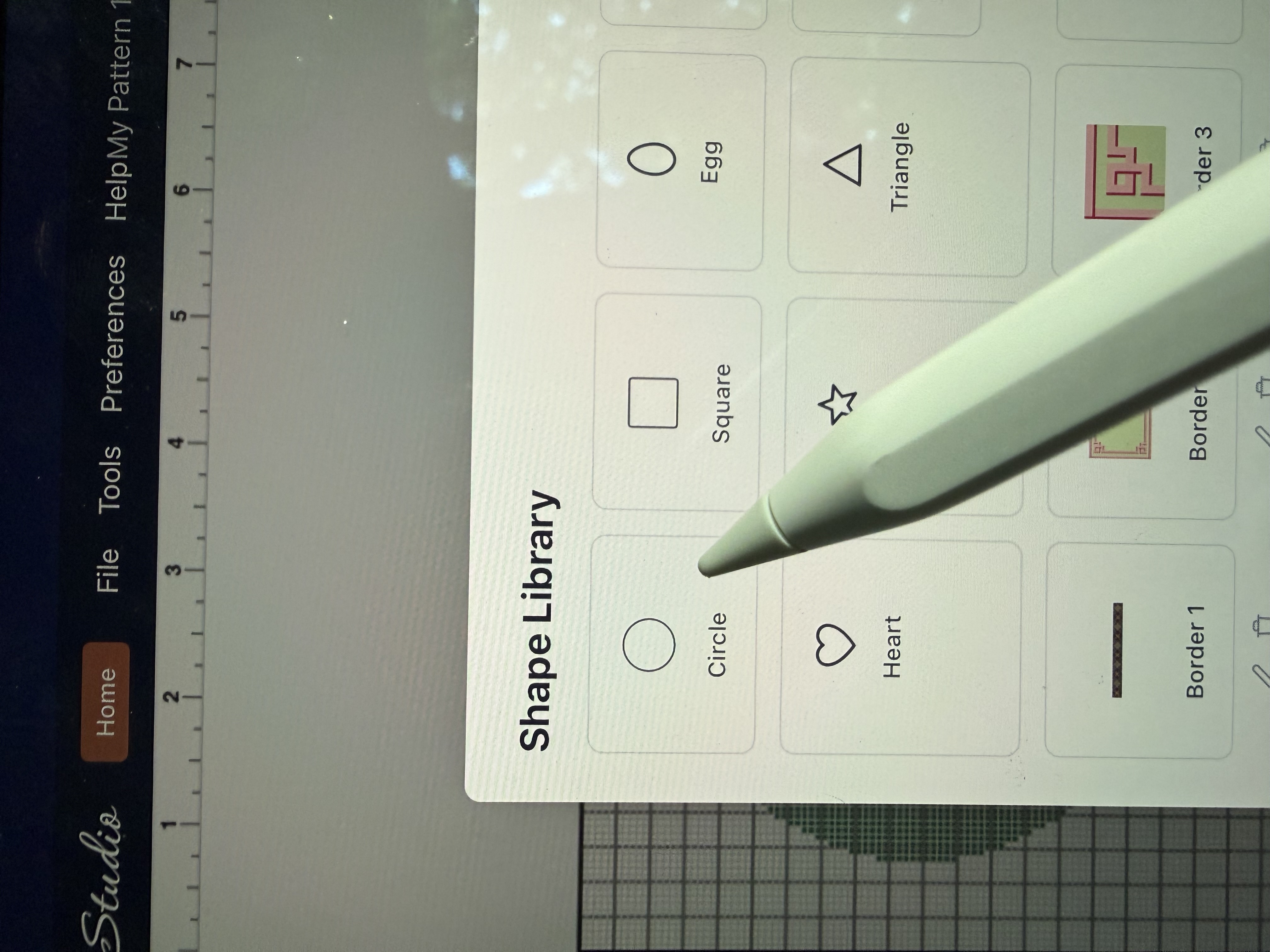
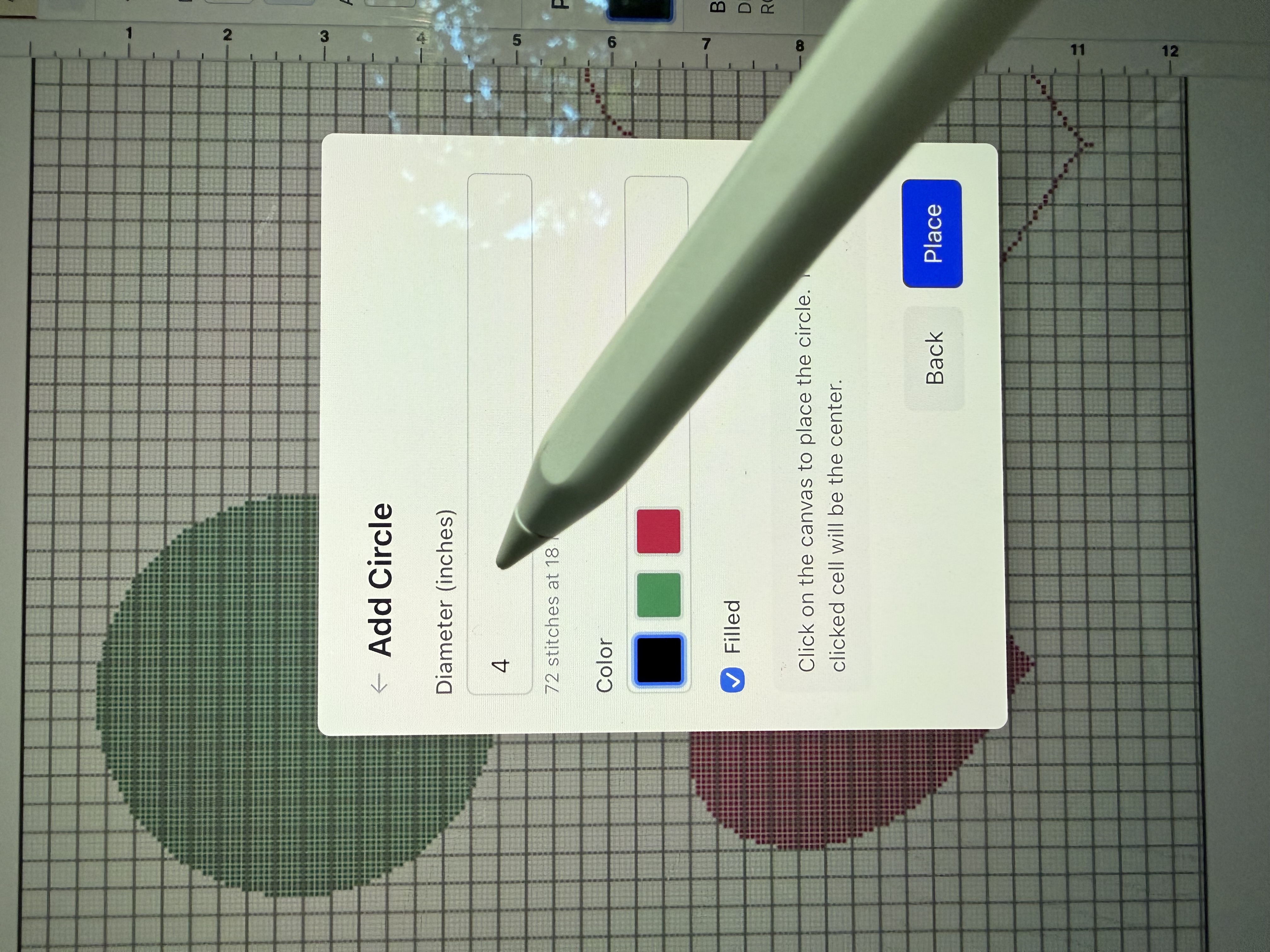
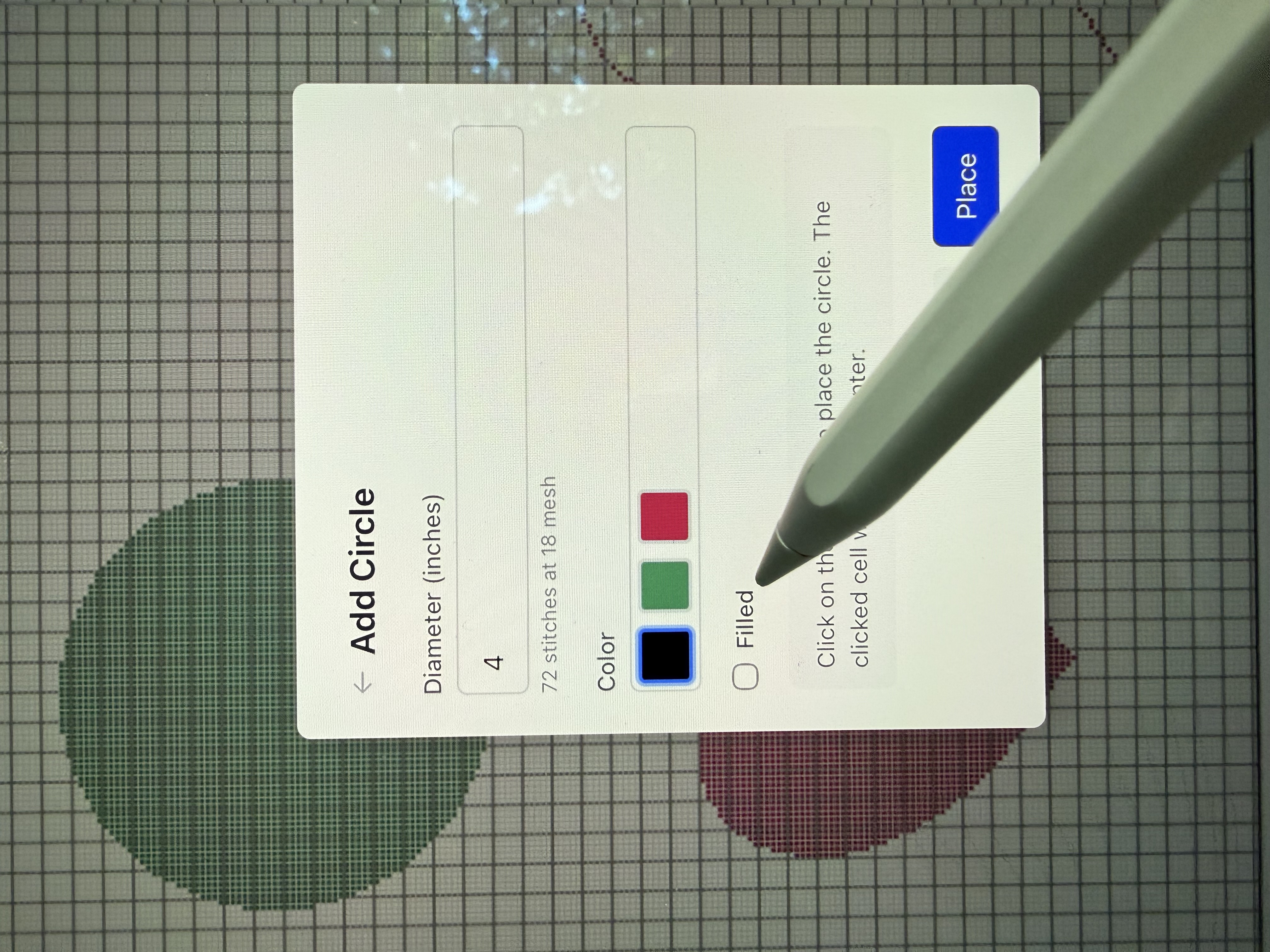
Hi, you can use our shapes button. It allows you to choose a shape, the size of the shape and whether or not you would like the shape filled or just the outline. It will give you a perfect circle no matter the size you choose. I will attach pictures of the steps. Also, if you go to our TikTok or Instagram account, I have a video tutorial on this process. Thank you!
Sign in to reply